For businesses and developers · Identity verification
Know who your customer is, without keeping their ID
Your customer proves who they are with the chip in their document and their own face, on their phone.
You receive the answer to the question you asked — and nothing else.
Asked to verify yourself, or looking for the app? Everything for people is on id.ism.ec.
What ID Protekt is
One app on your customer’s phone, and one API on your backend.
The person’s app
ID Protekt reads the chip in an ID card or passport over NFC, checks the issuing state’s signature, and matches the person’s live face to the chip portrait. On iPhone and Android, in the ID Protekt app — in Spanish, English and Brazilian Portuguese, with spoken guidance through the chip read.
Your question, their consent
You decide what to ask, in wording you set; the person sees your name, your purpose and every item before agreeing. Biometric checks take a separate, explicit opt-in.
An answer, not a copy
Your backend receives the released claims and a consent receipt. No document photo, no selfie, no biometric template ever reaches you.
What you can ask for
A level says what was proved. The claims say what is released. They are independent — ask for the least that answers your question.
Level L1 · Document authentic
The chip was read and the issuing state’s signature over it holds: a genuine, unaltered document. Enough when the risk is a forged document.
Level L4 · Holder bound
L1 plus liveness and a 1:1 match of the live face against the chip portrait: this person is the holder. What onboarding and account recovery need.
Answers or attributes
Ask a yes/no question — “is this person the holder of document X” (subject_is), “over 18” — or ask for attributes: names, document number, and nationality for passports.
More on the levels and on how chip verification works: How ID Protekt works.
Flagship use case · Telecom
Lines in seconds: chip check → payment → eSIM
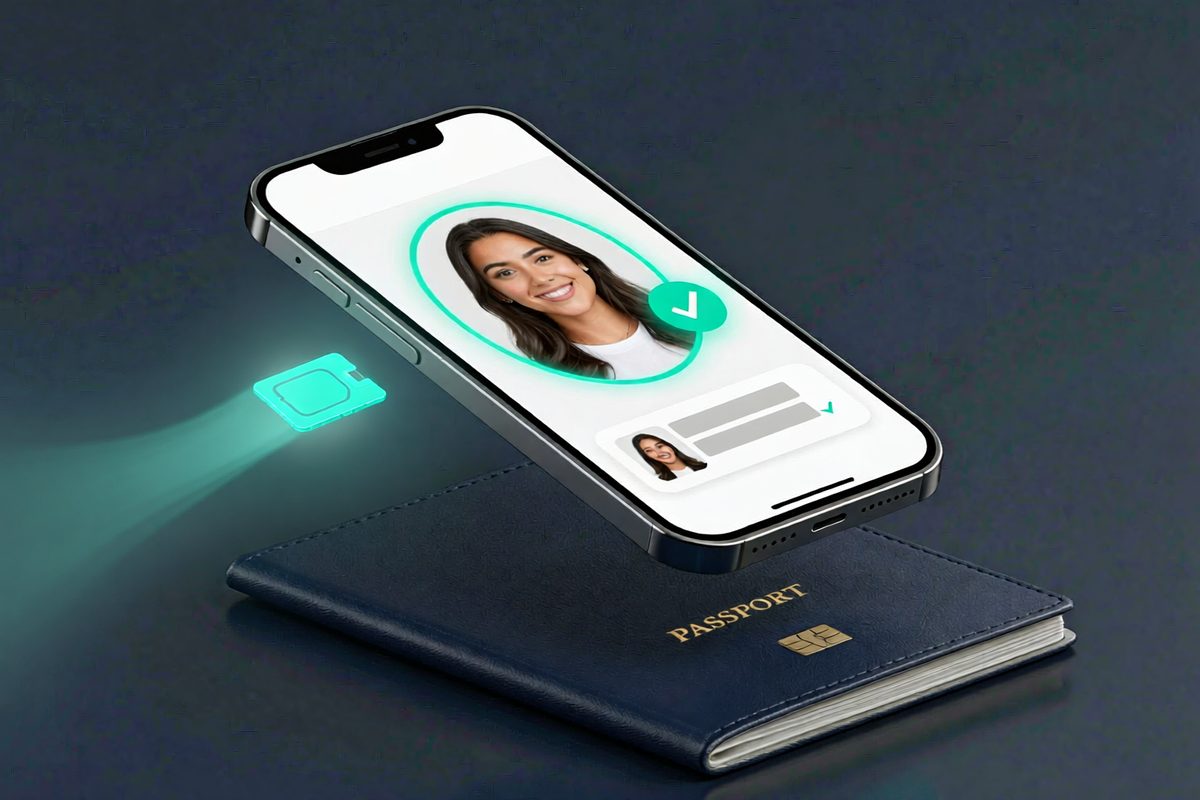
Where the law requires identity to register a line, ID Protekt answers it from the chip in a passport or ID card, holder-bound. Your checkout takes the payment and your platform issues the eSIM — no store, no plastic, no photocopies.
SIM swap protection: re-verify the holder against the chip before a number moves, and close the classic account-takeover door.
The telecom flow · Every use case: age gating, onboarding, insurance, call centers, consent
What you never receive
Holding less is what makes you safe to breach — and what the LOPDP expects.
Never sent to you
- A photo or scan of the document
- The selfie, a video, or any biometric template
- The chip’s raw data or portrait
- Anything the person was not shown and did not accept
What you do receive
- The claims you asked for, as machine values
- The assurance level reached, and who computed the verdict
- Whether a genuine ID Protekt app on genuine hardware reported it
- A consent receipt id, for your records
How to integrate
Five steps, OAuth-shaped: your backend pushes the request, the person verifies on their phone, your backend collects the answer.
1. Get a client
We register your client — a client id and a secret, shown once — a plan (level, claims and the purpose the person will read) and your redirect URIs: an https page, your app’s own scheme (yourapp://verify), or both. Every client gets a dedicated test environment before going live.
2. Push the request from your backend
Never from a browser or an app: the secret stays on your server. You get a single-use link, valid for ten minutes; once opened, the person has an hour to finish.
POST https://api.ism.ec/verify/v1/par
{
  "client_id":     "cl_…",
  "client_secret": "…",
  "plan_id":       "bn_…",
  "redirect_uri":  "yourapp://verify",
  "state":         "<random, kept in your session>"
}

→ { "req": "…", "verify_url": "https://id.ism.ec/go?req=…", "expires_at": "…" }
3. The person verifies
Open the link on their phone, show it as a QR code on a desktop, or send it however you already reach your customer. The link carries only an opaque reference — no client, no scope, no personal data.
4. Back to you
When they finish, ID Protekt opens your redirect_uri with ?code=…&state=…. Check that state is the one you stored.
5. Collect the answer
Exchange the code at once: it is single-use and lives 120 seconds, and only the client it was minted for can redeem it. Credentials go in the body or as HTTP Basic.
POST https://api.ism.ec/verify/v1/token
{ "client_id": "cl_…", "client_secret": "…", "code": "<from the redirect>" }

→ {
    "claims":             { "subject_is": true },
    "assurance":          "L4",
    "verified_by":        "device",
    "device_attestation": "…",
    "verified_at":        "…",
    "consent_receipt_id": "…",
    "state":              "…"
  }
Read the claim, not the status. A finished verification is not a pass: subject_is: false is a refusal, and a missing claim was not proved. Keep the person’s session open, so that if they don’t come back they can simply try again.
Worked example — MiAuto.ec, our own used-car marketplace: a seller verifies at L4 before an ad can go to review. Its app passes miauto://verify and its web portal an https address, so each returns to where the seller started; the backend checks the document number read from the chip against the one the seller declared.
What you get
Everything below is checkable. Ask us for the evidence on any line.
Built and working
/parand/tokenlive atapi.ism.ec/verify/v1- Chip reading and the state’s signature check, liveness and face match (L1 and L4) on iOS and Android
- Redirect back to an https page or to your app’s scheme
- Device attestation reported with every answer — and enforced: in production, only a genuine store-installed app on genuine hardware gets an answer
Built for regulated businesses
- The document never leaves the phone: the chip, the selfie and the face match are processed on the person’s device; you receive only the answer
- Every answer is accountable: it carries the assurance level reached and the device attestation
- One integration, every channel: the same two calls serve your website and your own iOS and Android apps
- Onboarded with our team: we set up your plan and the wording your customers read, with you
Request access
Tell us what you need to know about your customers, and we’ll set up your client and plan.
🍪 We value your privacy
We use cookies and analytics to understand how you use our site and improve your experience. This includes Google Analytics for tracking site usage.
By clicking "Accept", you consent to analytics tracking. Learn more in our Cookie Policy and Privacy Policy.